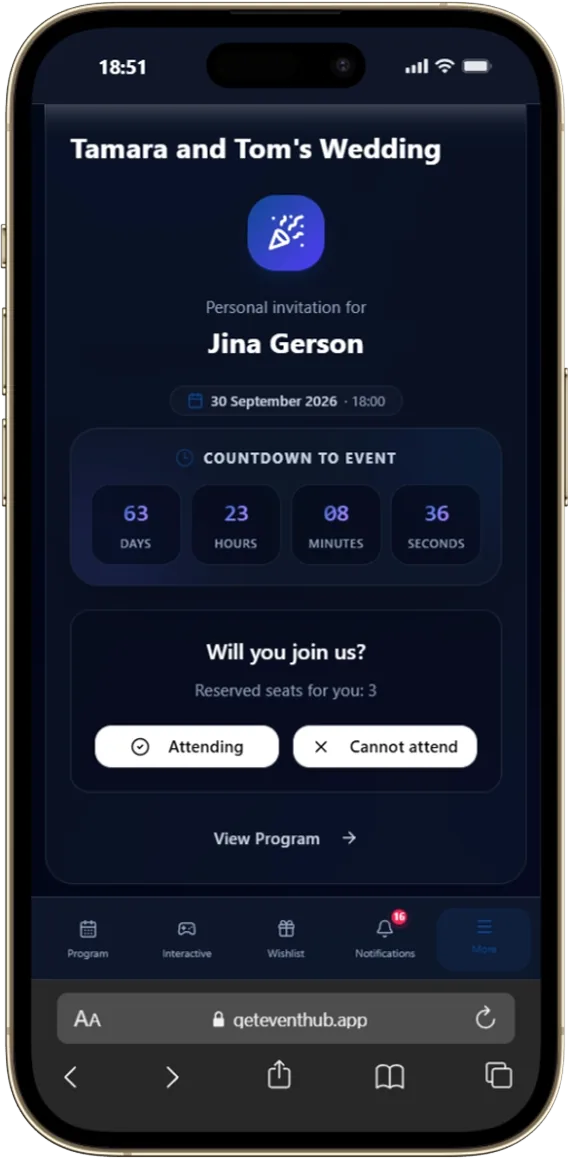
Guests open their personal invitation card through a private link without typing logins or passwords. Confirming or declining attendance takes just 2 clicks.
Confirm or decline attendance in 1 click
Choose banquet menu dishes, drinks, and dietary allergies
Inform about total invited guests in the party
Personal greeting and card tailored for each guest
02What’s on the table
The evening’s menu and meal choice
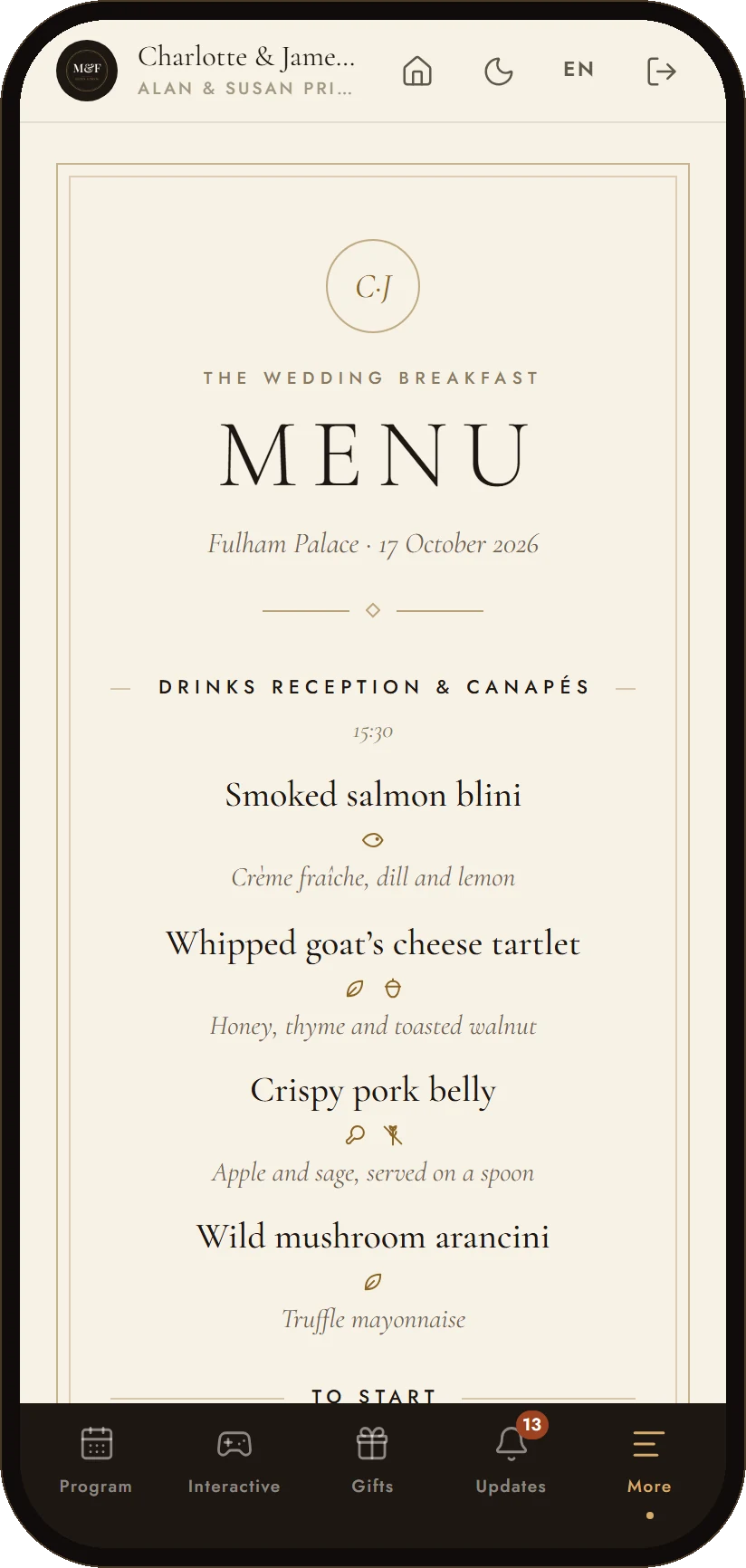
The menu opens in the app as a restaurant card: dishes in serving order, with times from the program and labels such as Vegetarian or Gluten-free. Guests choose their main course for themselves and their companions — and can change their mind until the date the organizer set.
The chosen dish is marked “Your choice” on the menu
A tab for everyone who is coming: the guest chooses for their companions, children are served the children’s menu
Allergies go to the chef with the table number, and dishes that do not suit are flagged with a warning
A card on the home screen asks for the choice until everyone on the invitation has made it
03Day Schedule
Interactive Program & Timeline
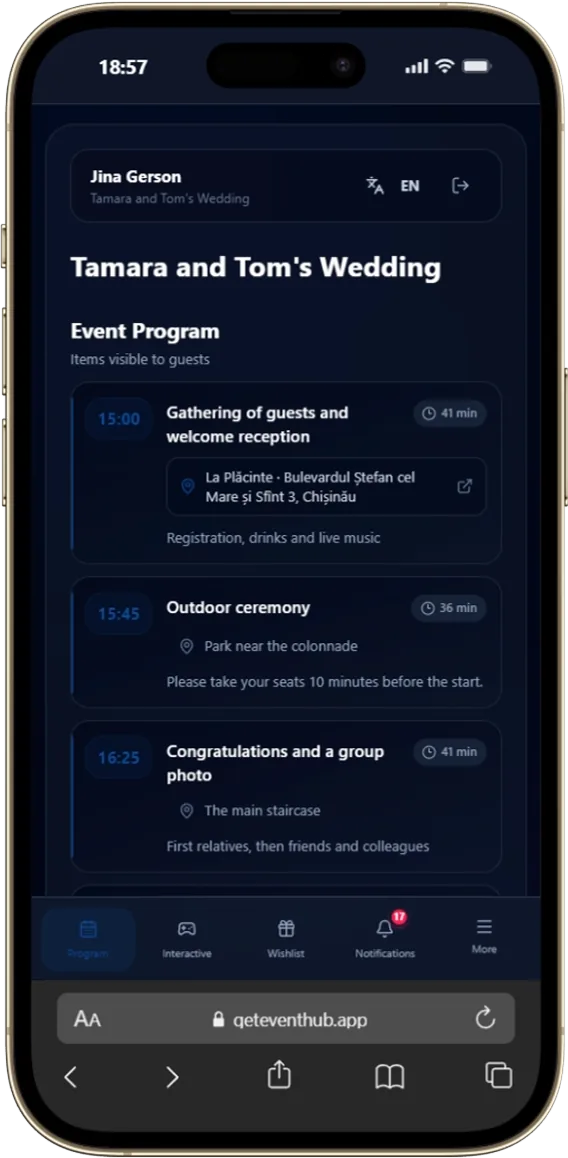
The entire event chronology right before guest eyes. Guests know exactly when ceremony starts, hot dishes served, and fireworks scheduled.
Minute-by-minute scenario with stage timings
Indication of current live and upcoming stages
Specific locations assigned per schedule item
Host selects which items to make public for guests
04Live at the party
Polls, quizzes, music requests and photo missions
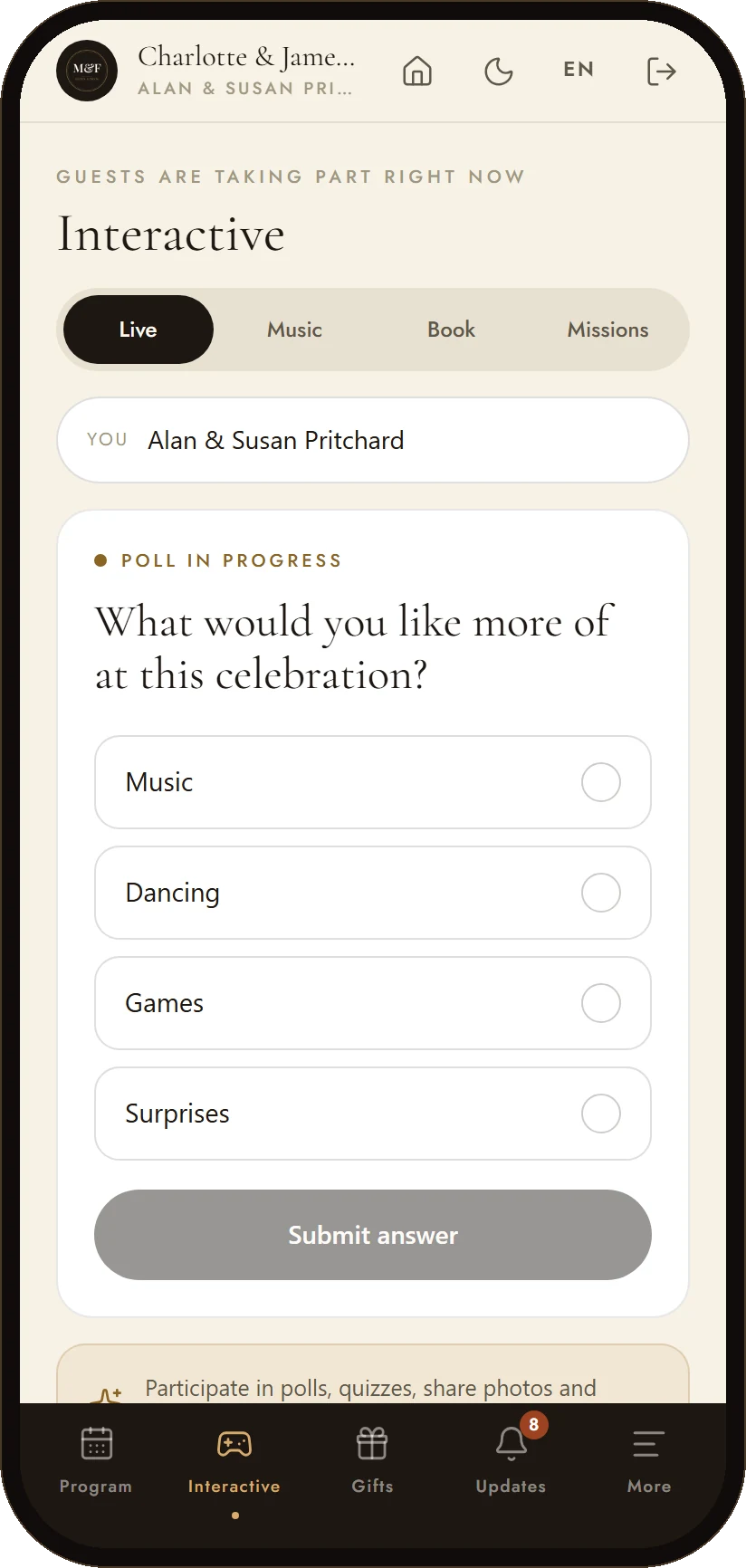
The guests take part from their phones: a poll the host opens during the evening, a quiz about the couple, a song for the DJ, a photo mission for the table.
A poll the host starts in a tap — guests answer from their seats
Quizzes with a leaderboard, no paper and no host reading questions out
Song requests that land in the DJ's queue
Photo missions for the album: «the table's group shot», «the first dance»
05Venue Navigation
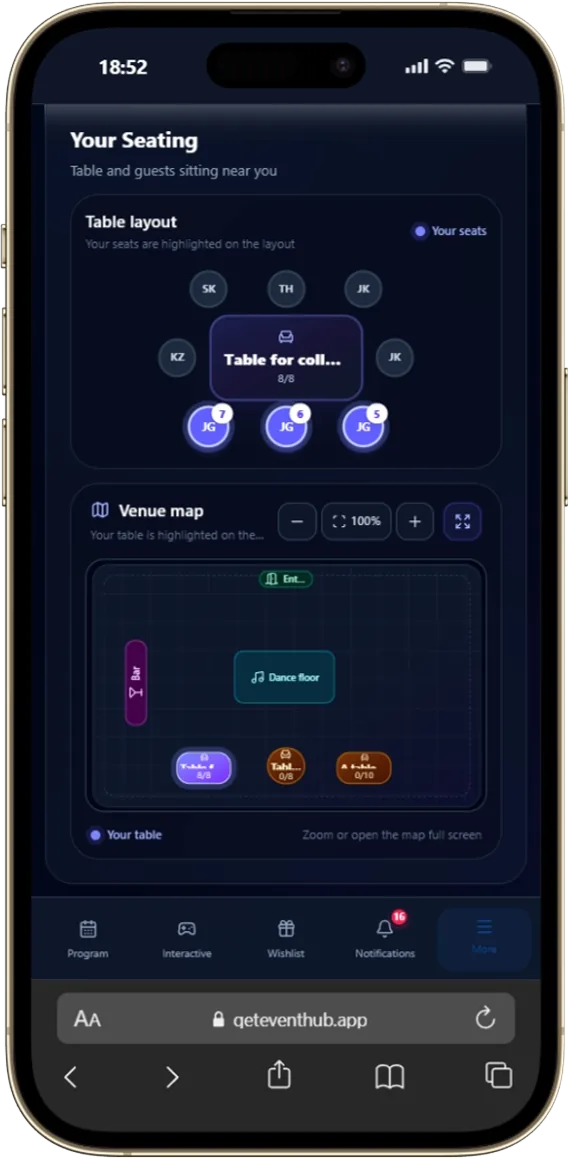
Seating Plan & Assigned Table Map
No more confusion when entering banquet hall. Guests instantly see an interactive venue floor plan with their assigned table highlighted and list of table neighbors.
Visual interactive floor plan of all hall tables
Personal highlighting of assigned table and seat on map
List of table neighbors for convenient networking
Display table names, category, and available seats
06Desired Gifts
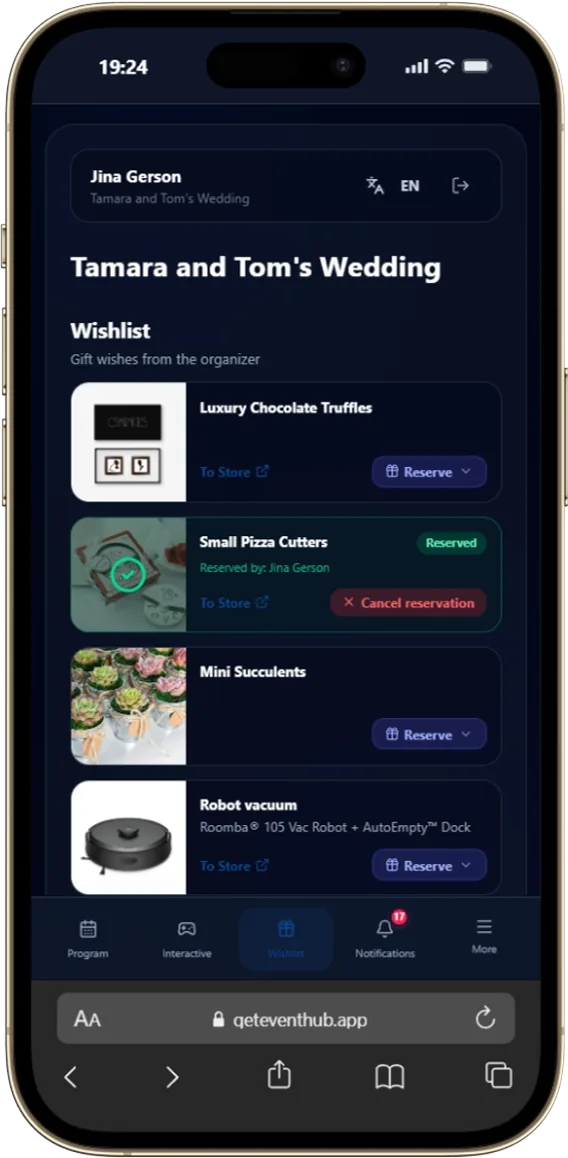
Gift Wishlist & Reservations
Help guests pick truly desired gifts. Guests can reserve items from wishlist in 1 click, preventing double purchases.
Reserve gifts publicly or incognito
Direct store links to products
Detailed descriptions and photos of desired gifts
Prevents multiple guests from buying the same item
07Route & Map
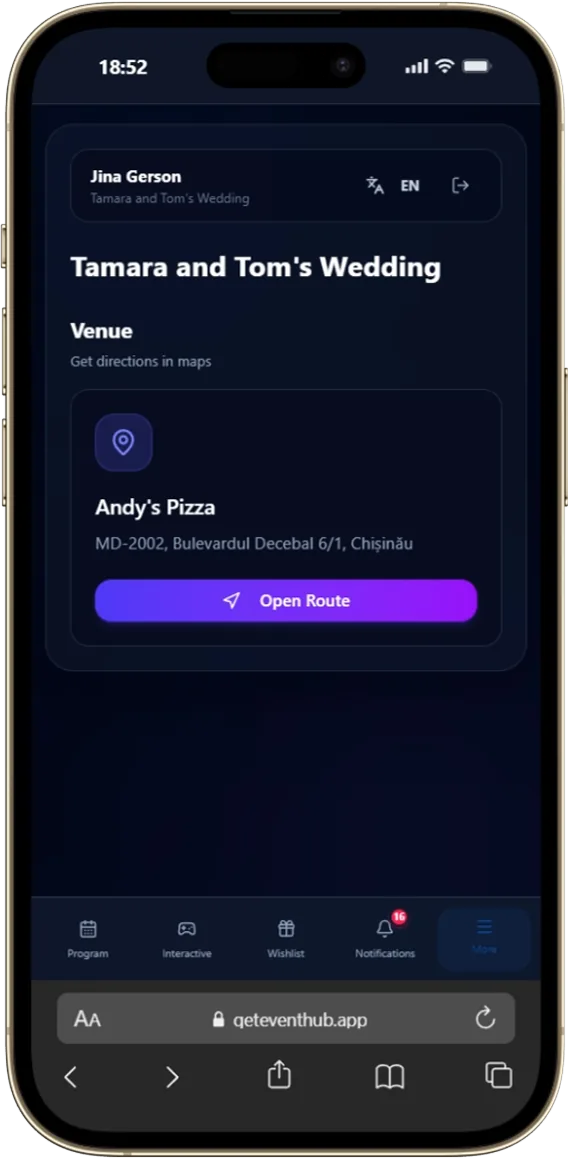
Venue Location & Navigation
Never worry about lost guests. Full venue address, hall details, and one-tap navigator launch buttons.
1-tap instant navigation via Google Maps
Exact GPS coordinates and address details
Parking and arrival instructions
Quick taxi call shortcut to location
08Care & Updates
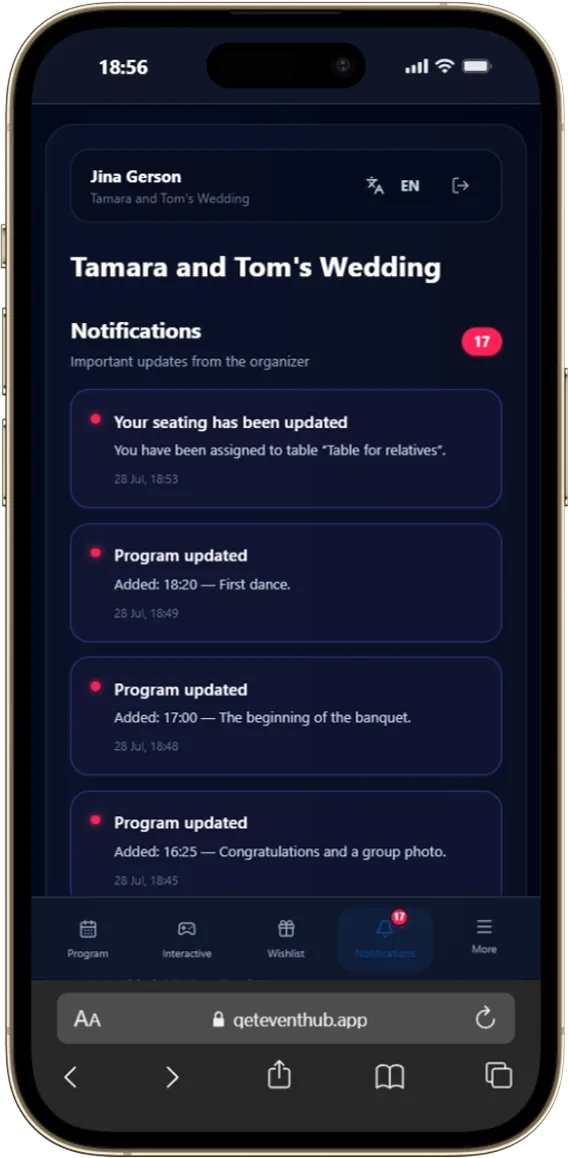
Organizer Broadcast Notifications
Important announcements, schedule changes, or coordinator reminders arrive directly on guest phone screen.
Real-time broadcast announcements for all guests
Unread notification counter in menu
Automated reminders for key event milestones
Essential coordinator contacts for emergencies
09A line to the organizers
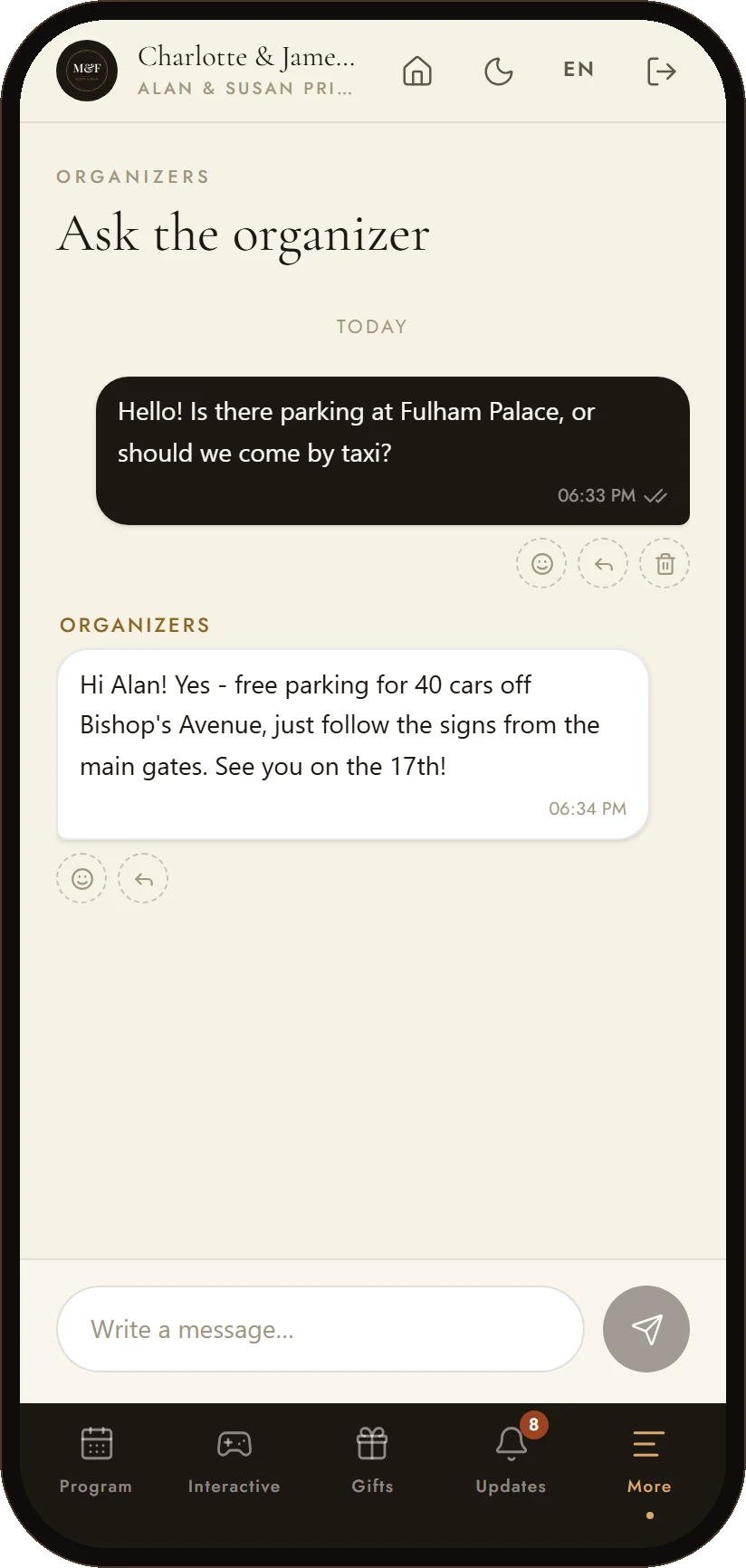
Chat with the organizers
Dress code, parking, a plus-one — the guest asks in the app, and the organizers answer from their workspace. No group chat with forty people in it.
A private thread for every guest, seen only by the organizers
The organizers see who is waiting for a reply and answer with templates
Reactions and replies to a specific message
Nothing to install and no phone numbers exchanged
10Event Memories
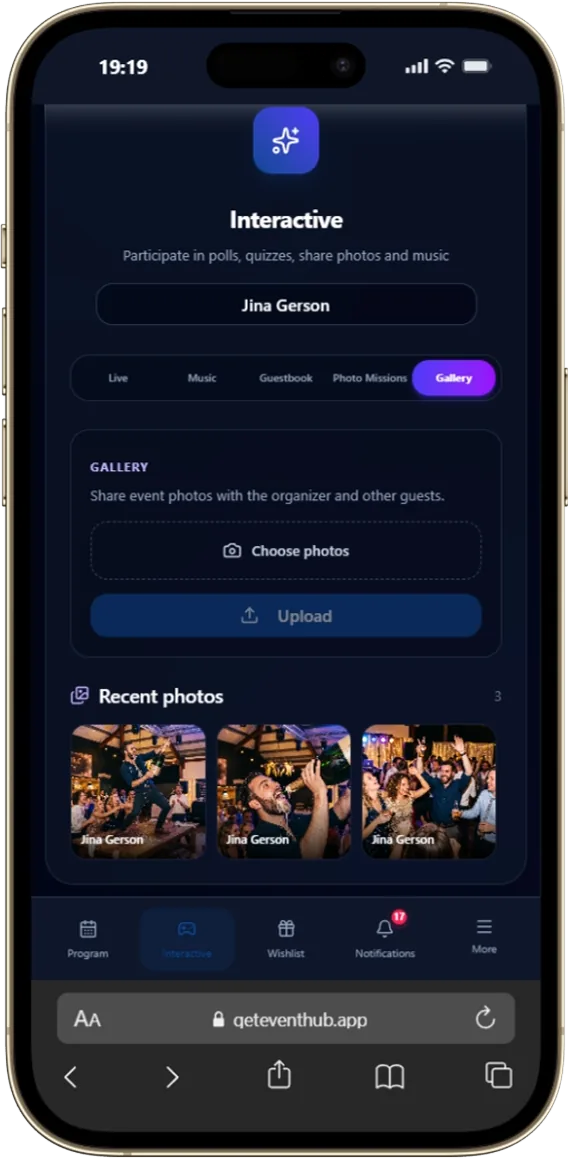
Shared Gallery & Instant Photo Upload
Gather all photos from every guest smartphone into a single vault without quality loss. Guests upload photos directly during banquet.
Upload photos and videos right from phone in 1 click
Shared access to shots taken by all attendees
Preserve original image resolution quality
Download entire photo archive by host organizer
11Style Guide
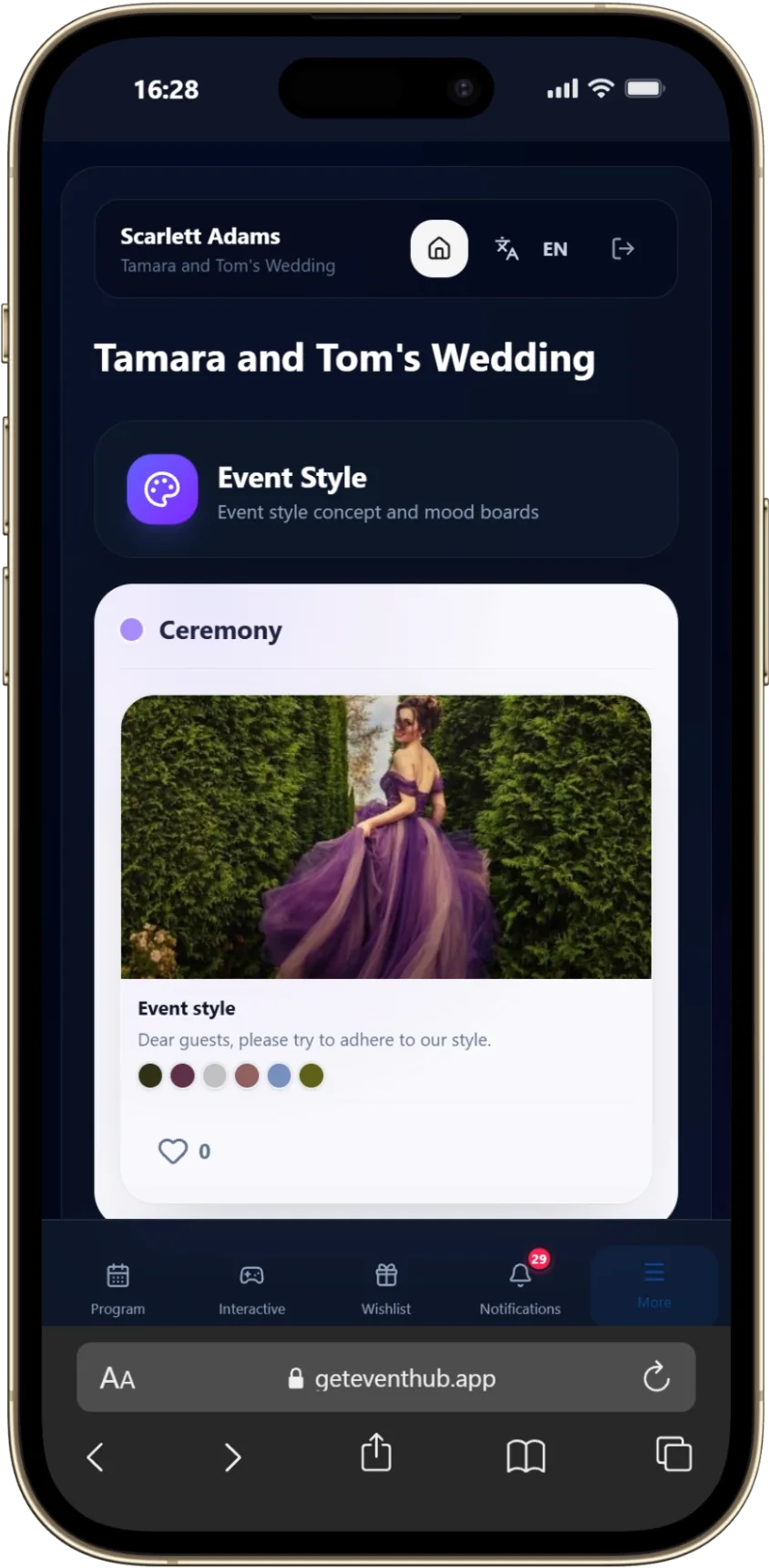
Event Style & Mood Guide
Give guests a clear feel for the celebration before they arrive, from the atmosphere and dress code to the details that shape the day.
Share the event mood and visual direction
Explain the dress code with clear examples
Keep guest choices aligned with the celebration
12The event's own page
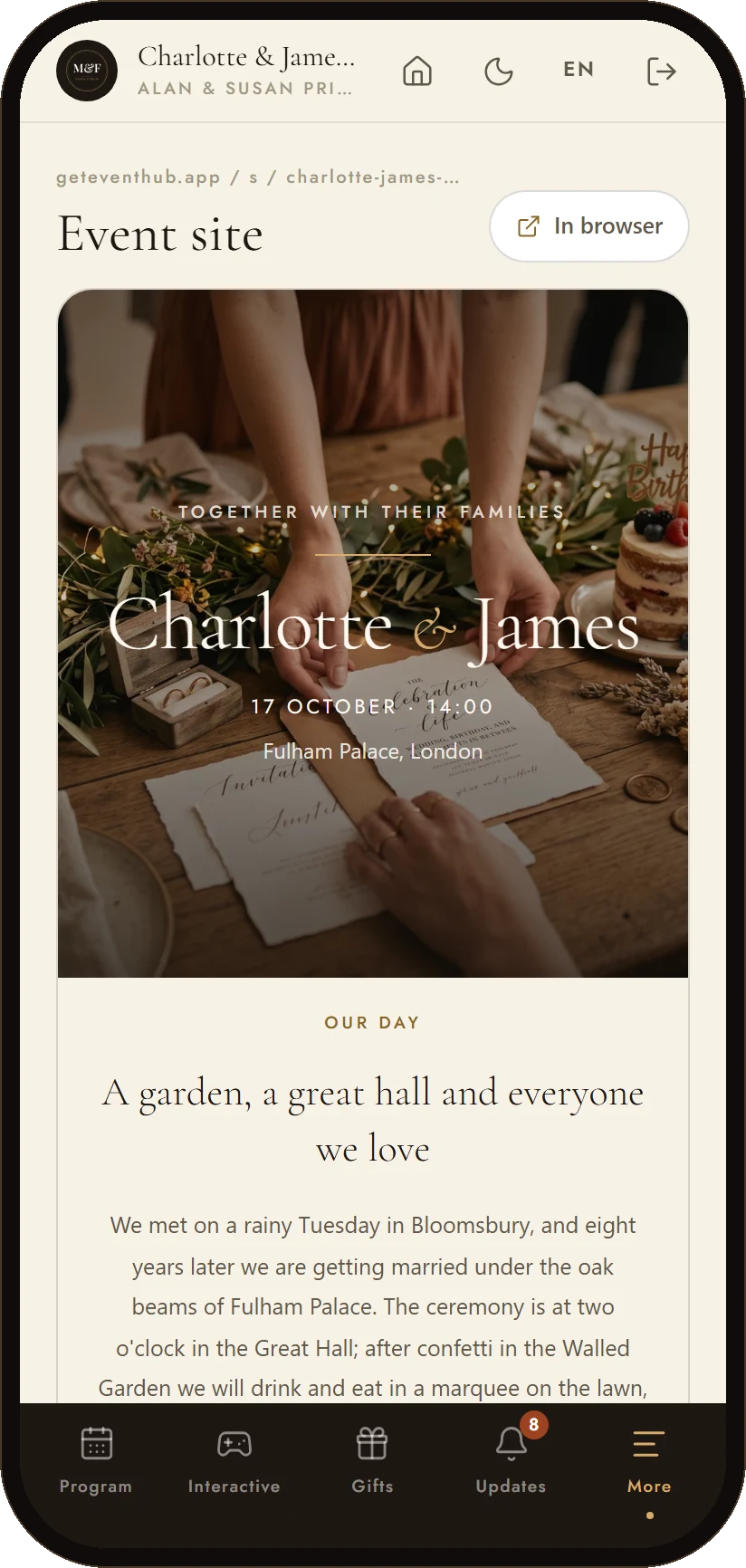
The event website inside the app
The event site the couple built — the story, the day, the venue, the gifts — opens in the app as its own section, with the same address it has on the web.
The published page, exactly as guests see it on the web
Ten templates in the site builder; the page updates without resending links
Open in the browser or share the address from the app
13Who is running the evening
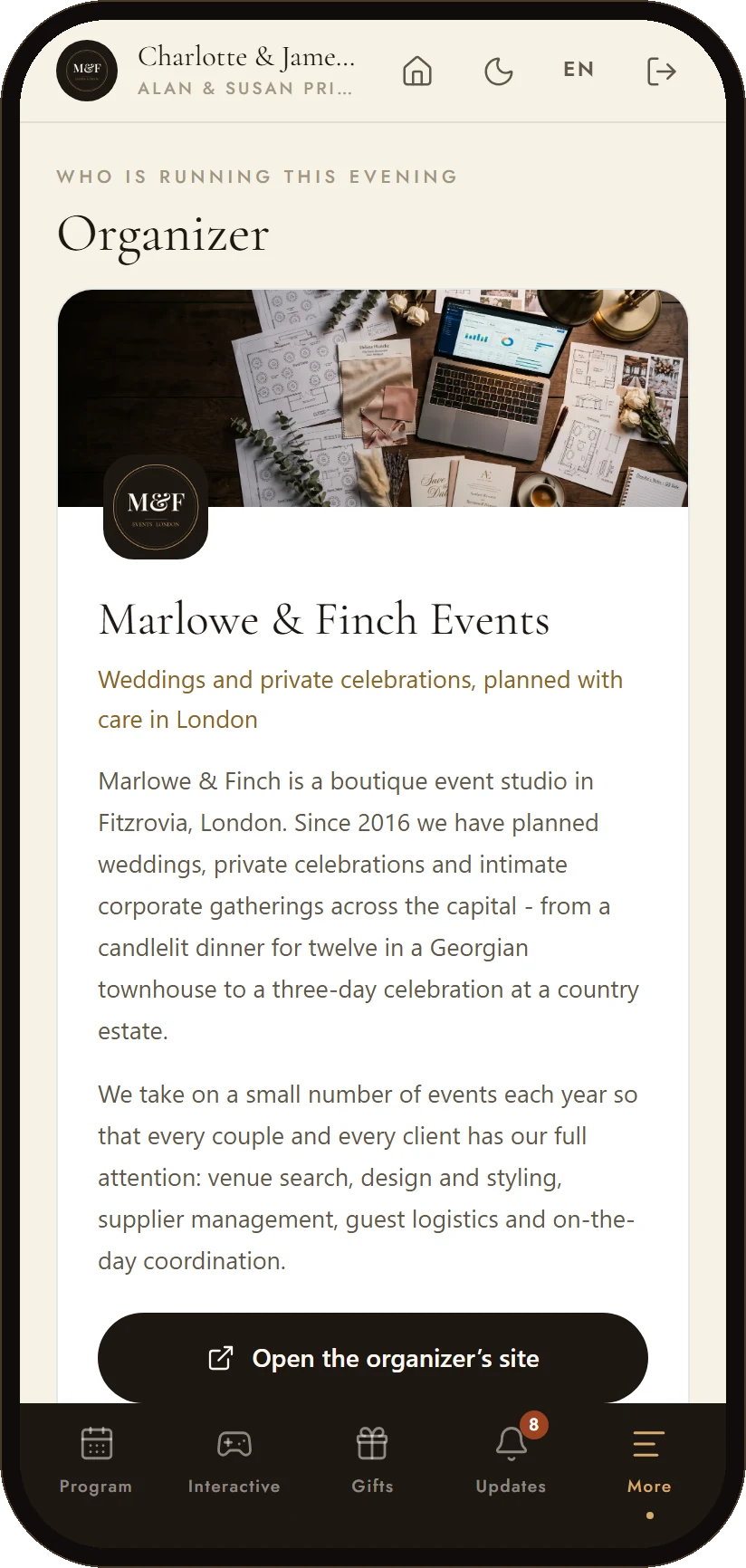
The organizer's card
When an agency runs the event, the guests see who it is: the studio's card with its cover, a line about the work and a link to its site — and a way to book the same for their own celebration.
The studio's name, cover and a short introduction
A link to the organizer's public page and portfolio
Your guests are your next clients — the card turns a good evening into requests
14Personal Entry
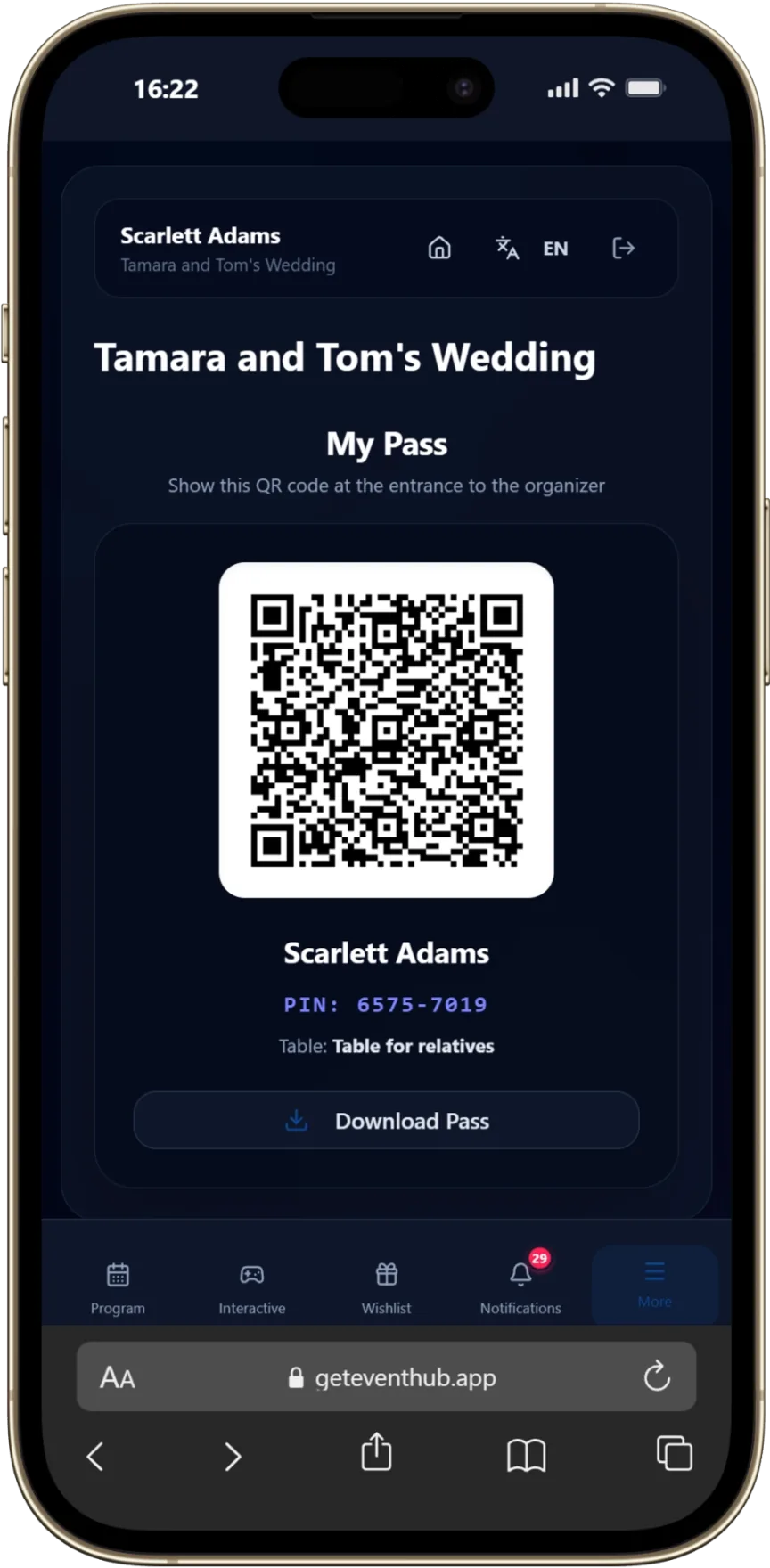
Personal Digital Guest Pass
Each guest keeps a personal entry pass on their phone for a smooth welcome and quick identification at the venue.
A personal pass for each invited guest
Ready to present directly from a phone
Faster, clearer guest check-in at arrival
A browser-based event app for guests
Give every guest the event details they actually need
The guest app is the attendee-facing side of EventHub. One private link opens the programme, personal seating information, venue directions, announcements, gifts and shared photos on a phone.
Personal information, not a generic page
Each guest can see the details relevant to them, including their assigned table and the information published by the organiser.
Fewer repeated questions
Keep timings, location details and updates in one mobile place guests can reopen before and during the event.
Useful throughout the event
The same guest portal can move from arrival information to activities and a shared gallery as the day unfolds.
Event app for guests: common questions
How the guest app works at UK weddings, parties, conferences and company events.
How do guests open the app?
From a private link on their phone. Each guest sees the programme, their own table and the updates the organiser publishes.
Can each guest see their own table?
Yes. When seating is configured, the guest can see their assigned table and the seating information made available by the organiser.
Can organisers update information after sharing the link?
Yes. Published programme details, announcements and other guest information can be updated without sending a replacement document.
Explore the connected EventHub tools
Use one tool on its own or keep the complete guest journey in a single workspace.
Event app for guests
Give Your Guests a Modern Experience
Create an event on EventHub and configure the guest app in minutes.
'%3e%3crect%20x='27.25'%20y='13.5'%20width='9.5'%20height='6.5'%20rx='2'/%3e%3cpath%20d='M25.5%2012.25c1.7-1.35%204.1-2.15%206.5-2.15s4.8.8%206.5%202.15'%20fill='none'%20stroke='%23FFFFFF'%20stroke-width='2.6'%20stroke-linecap='round'/%3e%3c/g%3e%3cg%20transform='rotate(60%2032%2032)'%3e%3crect%20x='27.25'%20y='13.5'%20width='9.5'%20height='6.5'%20rx='2'/%3e%3cpath%20d='M25.5%2012.25c1.7-1.35%204.1-2.15%206.5-2.15s4.8.8%206.5%202.15'%20fill='none'%20stroke='%23FFFFFF'%20stroke-width='2.6'%20stroke-linecap='round'/%3e%3c/g%3e%3cg%20transform='rotate(120%2032%2032)'%3e%3crect%20x='27.25'%20y='13.5'%20width='9.5'%20height='6.5'%20rx='2'/%3e%3cpath%20d='M25.5%2012.25c1.7-1.35%204.1-2.15%206.5-2.15s4.8.8%206.5%202.15'%20fill='none'%20stroke='%23FFFFFF'%20stroke-width='2.6'%20stroke-linecap='round'/%3e%3c/g%3e%3cg%20transform='rotate(180%2032%2032)'%3e%3crect%20x='27.25'%20y='13.5'%20width='9.5'%20height='6.5'%20rx='2'/%3e%3cpath%20d='M25.5%2012.25c1.7-1.35%204.1-2.15%206.5-2.15s4.8.8%206.5%202.15'%20fill='none'%20stroke='%23FFFFFF'%20stroke-width='2.6'%20stroke-linecap='round'/%3e%3c/g%3e%3cg%20transform='rotate(240%2032%2032)'%3e%3crect%20x='27.25'%20y='13.5'%20width='9.5'%20height='6.5'%20rx='2'/%3e%3cpath%20d='M25.5%2012.25c1.7-1.35%204.1-2.15%206.5-2.15s4.8.8%206.5%202.15'%20fill='none'%20stroke='%23FFFFFF'%20stroke-width='2.6'%20stroke-linecap='round'/%3e%3c/g%3e%3cg%20transform='rotate(300%2032%2032)'%3e%3crect%20x='27.25'%20y='13.5'%20width='9.5'%20height='6.5'%20rx='2'/%3e%3cpath%20d='M25.5%2012.25c1.7-1.35%204.1-2.15%206.5-2.15s4.8.8%206.5%202.15'%20fill='none'%20stroke='%23FFFFFF'%20stroke-width='2.6'%20stroke-linecap='round'/%3e%3c/g%3e%3c/g%3e%3c/svg%3e)