'%3e%3crect%20x='27.25'%20y='13.5'%20width='9.5'%20height='6.5'%20rx='2'/%3e%3cpath%20d='M25.5%2012.25c1.7-1.35%204.1-2.15%206.5-2.15s4.8.8%206.5%202.15'%20fill='none'%20stroke='%23FFFFFF'%20stroke-width='2.6'%20stroke-linecap='round'/%3e%3c/g%3e%3cg%20transform='rotate(60%2032%2032)'%3e%3crect%20x='27.25'%20y='13.5'%20width='9.5'%20height='6.5'%20rx='2'/%3e%3cpath%20d='M25.5%2012.25c1.7-1.35%204.1-2.15%206.5-2.15s4.8.8%206.5%202.15'%20fill='none'%20stroke='%23FFFFFF'%20stroke-width='2.6'%20stroke-linecap='round'/%3e%3c/g%3e%3cg%20transform='rotate(120%2032%2032)'%3e%3crect%20x='27.25'%20y='13.5'%20width='9.5'%20height='6.5'%20rx='2'/%3e%3cpath%20d='M25.5%2012.25c1.7-1.35%204.1-2.15%206.5-2.15s4.8.8%206.5%202.15'%20fill='none'%20stroke='%23FFFFFF'%20stroke-width='2.6'%20stroke-linecap='round'/%3e%3c/g%3e%3cg%20transform='rotate(180%2032%2032)'%3e%3crect%20x='27.25'%20y='13.5'%20width='9.5'%20height='6.5'%20rx='2'/%3e%3cpath%20d='M25.5%2012.25c1.7-1.35%204.1-2.15%206.5-2.15s4.8.8%206.5%202.15'%20fill='none'%20stroke='%23FFFFFF'%20stroke-width='2.6'%20stroke-linecap='round'/%3e%3c/g%3e%3cg%20transform='rotate(240%2032%2032)'%3e%3crect%20x='27.25'%20y='13.5'%20width='9.5'%20height='6.5'%20rx='2'/%3e%3cpath%20d='M25.5%2012.25c1.7-1.35%204.1-2.15%206.5-2.15s4.8.8%206.5%202.15'%20fill='none'%20stroke='%23FFFFFF'%20stroke-width='2.6'%20stroke-linecap='round'/%3e%3c/g%3e%3cg%20transform='rotate(300%2032%2032)'%3e%3crect%20x='27.25'%20y='13.5'%20width='9.5'%20height='6.5'%20rx='2'/%3e%3cpath%20d='M25.5%2012.25c1.7-1.35%204.1-2.15%206.5-2.15s4.8.8%206.5%202.15'%20fill='none'%20stroke='%23FFFFFF'%20stroke-width='2.6'%20stroke-linecap='round'/%3e%3c/g%3e%3c/g%3e%3c/svg%3e)
01
Pick a template
Ten of them, from candlelit classic to a page with no photographs at all. Each one arrives with its blocks already filled in.
Pick a template, and the day you have already planned is on the page: your story, the programme, the venue, the dress code, gifts, the coordinator’s number. Change the words, hide what you don’t need, publish — and send everyone one link.
Weddings · anniversaries · christenings · private dinners
No tickets
No registration
One link for everyone
How it works
Everything the page needs is already in the event — the date, the venue, the programme, the guest list. The builder reads it and writes the first draft for you.
01
Ten of them, from candlelit classic to a page with no photographs at all. Each one arrives with its blocks already filled in.
02
Rewrite the words, reorder or hide blocks, change the palette. The programme block stays linked to the event timeline, so a change there is a change here.
03
The page gets a readable address of its own. Send it in a chat, put it on the invitation as a QR code, print it on the card — whoever holds it opens the page, with no login.
The library
They differ in more than colour: centred, two-column, a magazine grid, a mosaic of cards, a timeline, a book spread, a postcard.

Candle
Symmetrical classic: everything centred, a gold rule, candlelight. For a wedding or a church ceremony.
Midnight
A dark hall: a countdown on the cover, two columns with captions on the left, no gallery. For an evening celebration.
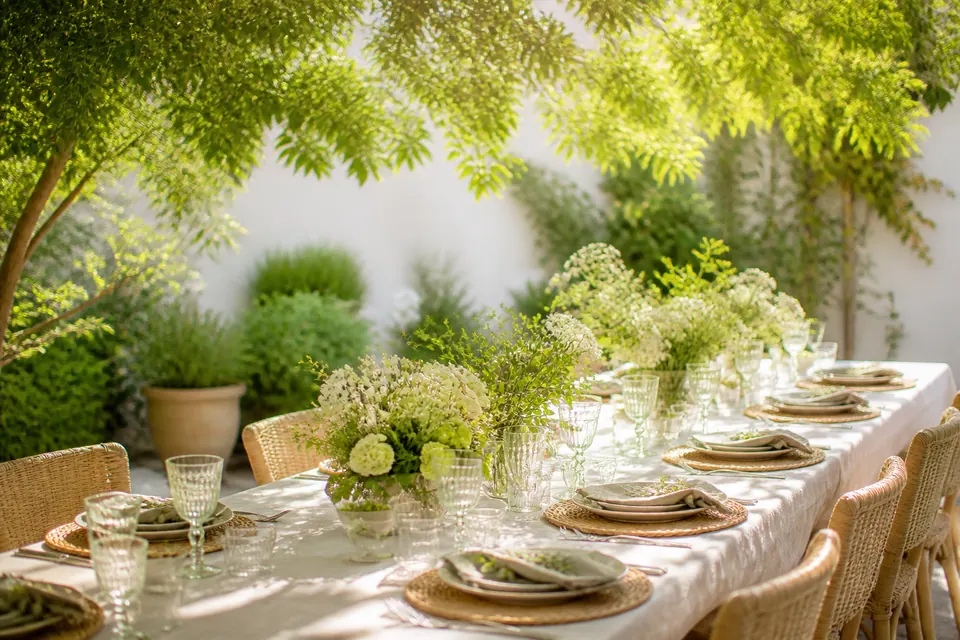
Greenhouse
A split cover: words on the left, an arched photo on the right. The programme as cards, a place to stay, gifts. For a daytime wedding out of town.
01 — 05
Powder
A magazine grid with numbered sections: a cover without a photo, large type, a video and a strip of frames. For a jubilee, a christening, an anniversary.
Mandarin
Tiles instead of columns, a large grotesque, terracotta on cream. For a family celebration, a birthday, a graduation.
Paper
Not a single photograph: pure typography, a ruled programme, a thin frame — like an invitation set by a printer. For those without a shoot yet.
Terrace
Full-width bands, centred text, no caption column. For a seaside wedding or a trip of several days.
Ribbon
The whole page is one vertical timeline: items alternate left and right. For an event where the schedule is the point.
Garnet
A book spread: text in two columns, a frame inside the cover, large drop caps. For a jubilee, a church wedding, a family celebration.
Postcard
The shortest page: four blocks, almost all of it on one screen. For a small gathering — a christening, a hen night, a dinner for ten.
Fourteen blocks
Drag to reorder, hide without deleting, bring a block back the day its details are settled. The programme, the gallery and the venue read straight from the event, so nothing is typed twice.
Linked programme. Move the ceremony half an hour and the page moves with it.
Draft and published. Edit as much as you like; guests see the page only once you publish it.
Up to twenty blocks on a page — long enough for a two-day wedding.
Cover
Photo, heading and date
About the evening
A paragraph about what happens
Programme
Linked to the timeline
Place and directions
Map and directions
Dress code
Wording and palette
Transfer
Pick-up points and times
Where to stay
Where guests can sleep
Guest questions
Answers to the usual questions
Gifts
What the couple would like
Menu
The evening menu from the menu constructor
Coordinator
Contact and chat
Organizer
Who runs the evening, with a link to their site
Text
A paragraph with a heading
Gallery
Up to 12 photos
Video PRO
An invitation film
Button
A link or an action
…and the next one you ask for
One link
The page is published at its own readable address. Guests open it from the link — no account, no code: send it in a chat, put a QR code on the printed invitation, read it out at the door. Guest pages stay out of search engines; the address is yours to share, not Google’s to list.
The page’s address
geteventhub.app/s/anna-mark
Opens
in the browser · no login
What the organizer decides
Hide a block without deleting it
Publish the changes when they are ready
Put the organizer’s card on the page
Let search engines index the page
The last one has no switch: guest pages are kept out of search engines, and the address is shared by you.
On a phone
Every template is laid out for the phone first: the columns stack, the programme keeps its times in a single readable line, the map and the calendar button stay one tap away. Nothing is a shrunken desktop page.
No. Without one the builder still writes a plain first draft from the event — cover, programme, venue, contacts — and you add blocks from the library. A template gives that draft a designed layout and a palette.
One event, one page. A programme of several days goes on it as one programme block per day, each linked to its own schedule — so a two-day wedding still lives at one address.
Yes. Start from one of ten palettes and override any colour in it. Contrast is checked as you go, so a hand-picked shade cannot ship text nobody can read.
A linked programme block follows the event timeline — no republishing, no second list drifting out of date.
Yes — most pages built here are weddings. A template gives you the story, the programme, the venue, the dress code and the gifts already laid out; a wedding of several days lives at one address, with one programme block per day.
From the link. The page has a readable address that opens in any browser without an app, an account or a code — send it in a chat, or put it on the invitation as a QR code.
No. Guest pages are not indexed: the address is yours to share. The page you are reading is the public one — it tells people the builder exists.
Start with a template
Free to start. Publish when the evening is ready.